
To view a PDF, open a PDF file using "File -> Open" or drag-and-dropping a PDF file onto the Win2PDF Desktop icon. The Win2PDF Desktop viewer will show a preview of the PDF.
You can also right-click on a PDF document in Windows Explorer or the desktop and can choose "Open With –> Win2PDF Desktop", or "Win2PDF -> View".
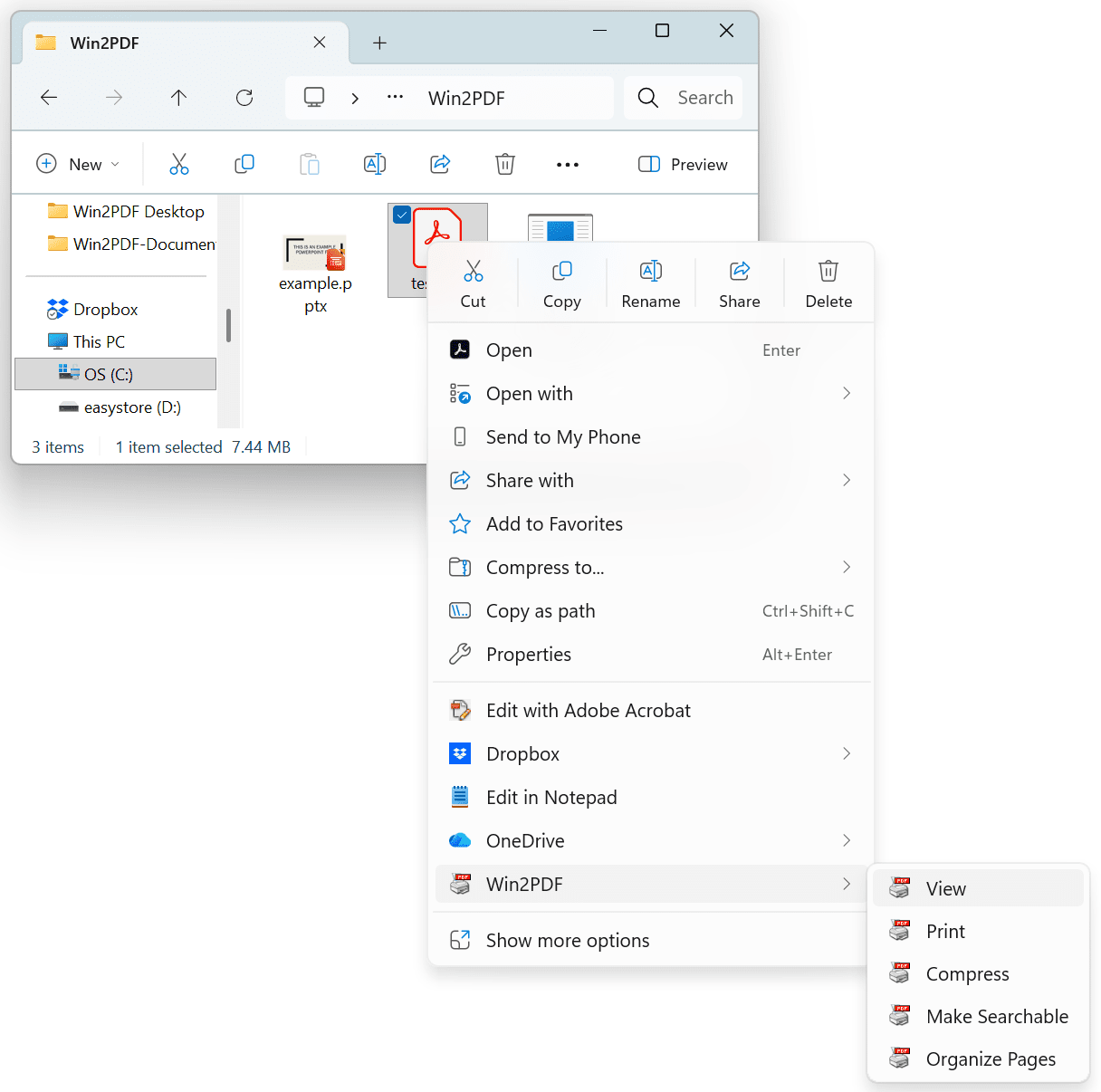
Win2PDF Desktop -> View with Win2PDF on Windows 11
The PDF is opened in a viewer with toolbar icons for navigation and common actions.
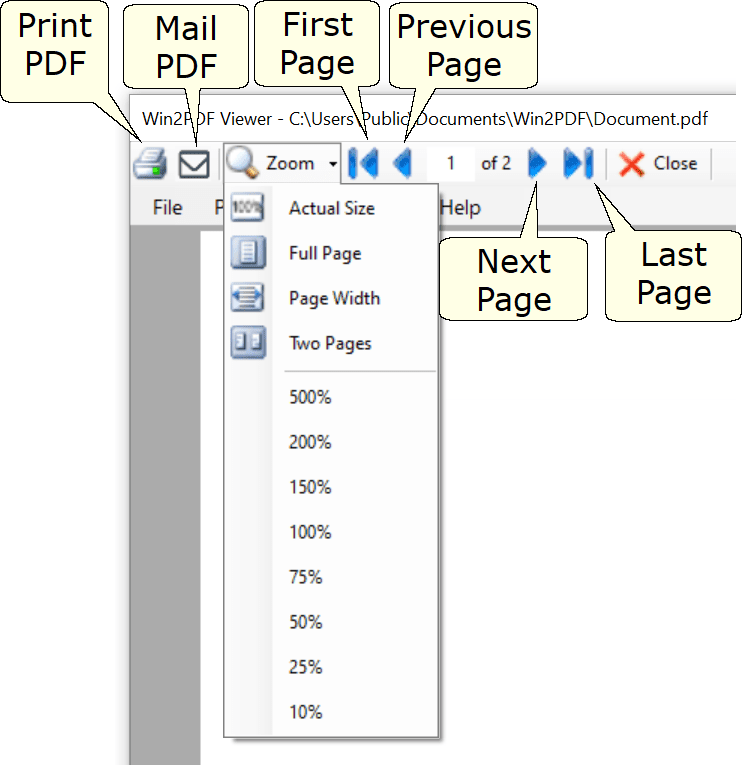
Win2PDF Desktop - PDF Viewer Controls